Make a fan chart from your Ancestry tree
You've spent hours building your tree on Ancestry. In about ten minutes you can turn it into a fan chart worth framing.
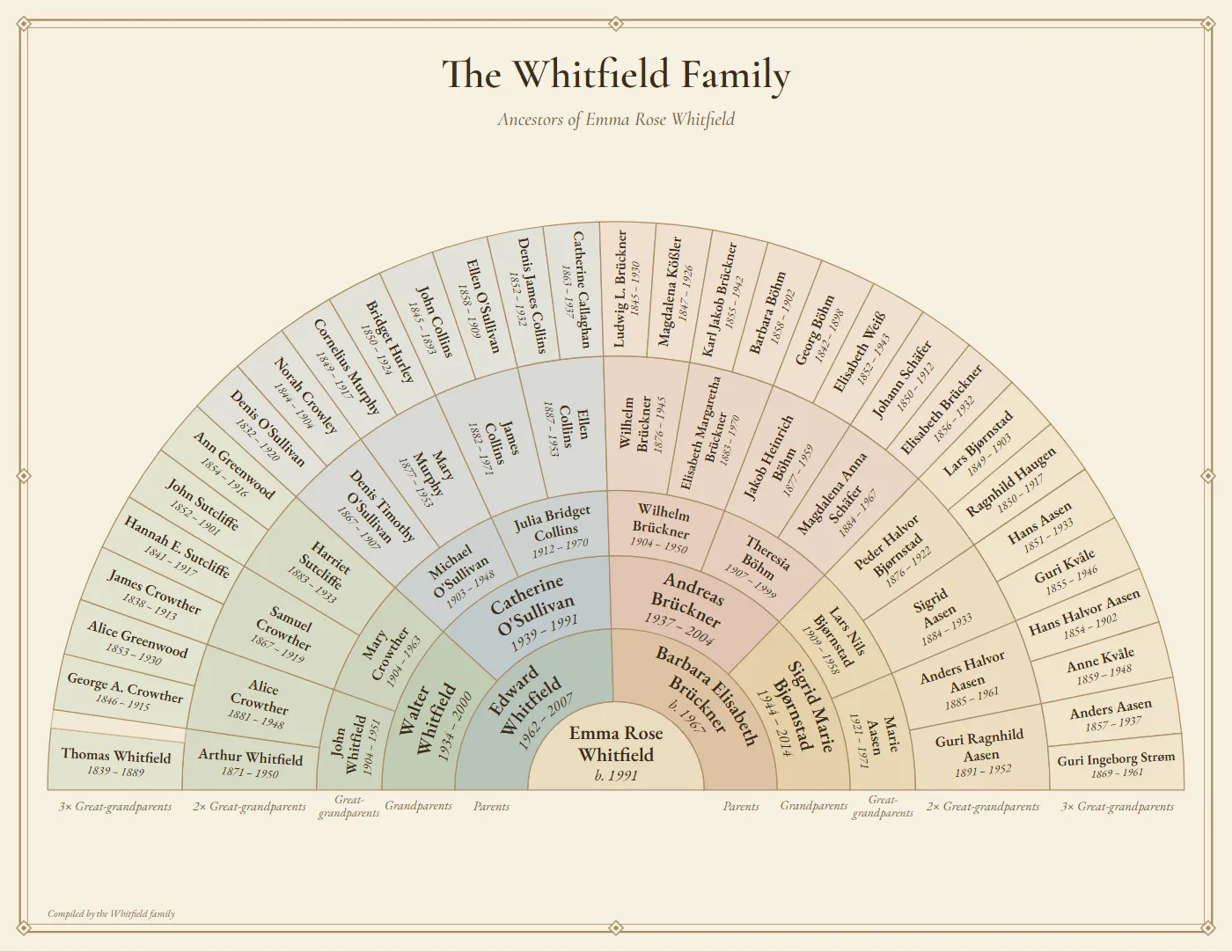
Five steps
- Export your tree. On Ancestry, open Trees, choose your tree, open Tree Settings and click Export tree, then download the GEDCOM file (it ends in
.ged). Our step-by-step Ancestry export guide has the details and fixes for common problems. - Open it in the studio. Go to Fan Chart Studio and click Open GEDCOM file. Your file is read inside your browser and never uploaded, so living relatives' details stay private.
- Choose who goes in the center. The studio starts with the youngest person who has the most ancestors, usually you or your children. Search for any other name to change it.
- Pick a style. Half fan, ¾ fan or full circle, six color themes, and 2 to 10 generations. The toolbar shows how big the smallest names will print, so you can pick the right paper size.
- Print it. Download a vector PDF for any print shop, or order it printed and framed, delivered to your door.
Tips for Ancestry trees
- Hide living relatives' dates before sharing. Ancestry exports living people in full. If you'll post a picture of your chart online, tick Hide dates of living people.
- Unsure dates are handled. Entries like “abt 1845”, “bef 1850” or “bet 1840 and 1845” become clean dates such as c.1845.
- Big trees are fine. A tree with thousands of people loads in seconds. A fan chart only shows the direct ancestors of the person in the center.
- Gaps are fine too. Unknown ancestors leave a blank space, and smart spacing gives that room to the people you have found, so their names print larger.
- Fix typos on the chart. Click anyone to correct a name or date before printing. Your Ancestry tree isn't changed.
How big should I print it?
As a rule of thumb: 4–5 generations fit nicely on Letter or A4, 6–7 generations on 11 × 17 or 18 × 24 inches, and 8 or more on 24 × 36 inches and up. See the printing guide for paper and print-shop tips.
Make your Ancestry fan chart
Free for up to 5 generations. Nothing is uploaded.
Open your GEDCOM fileAncestry® is a trademark of Ancestry.com LLC. Fan Chart Studio is independent and not affiliated with Ancestry.